How to enable Tiled view in Google Meet

During the lockdown, Zoom has become a popular video conferencing service, even with all its privacy and security concerns. One of the reasons for Zooms popularity is Grid View which allows multiple people to appear on the screen at once. Google has now added a grid view to Google Meet, called Tiled view.

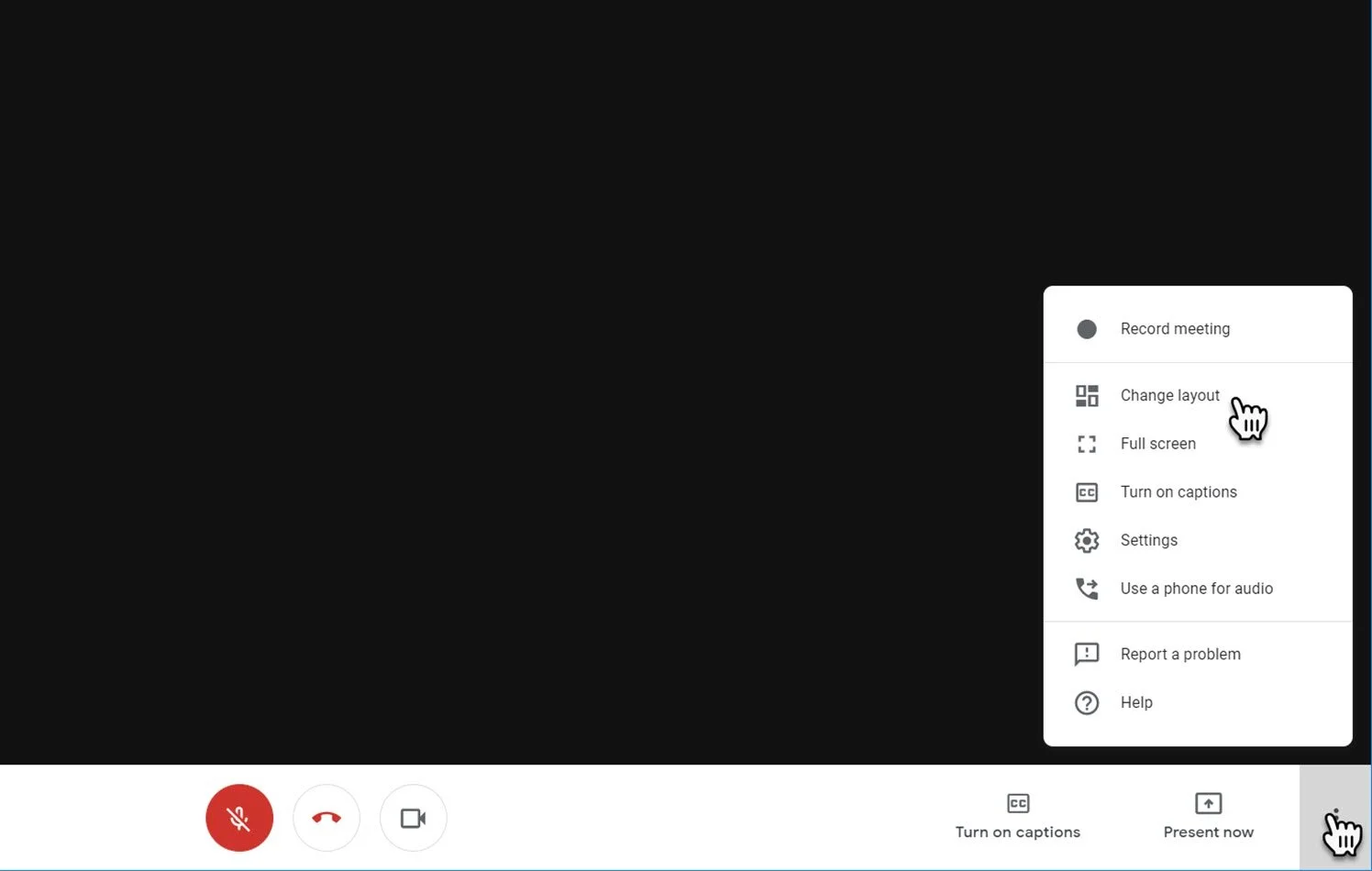
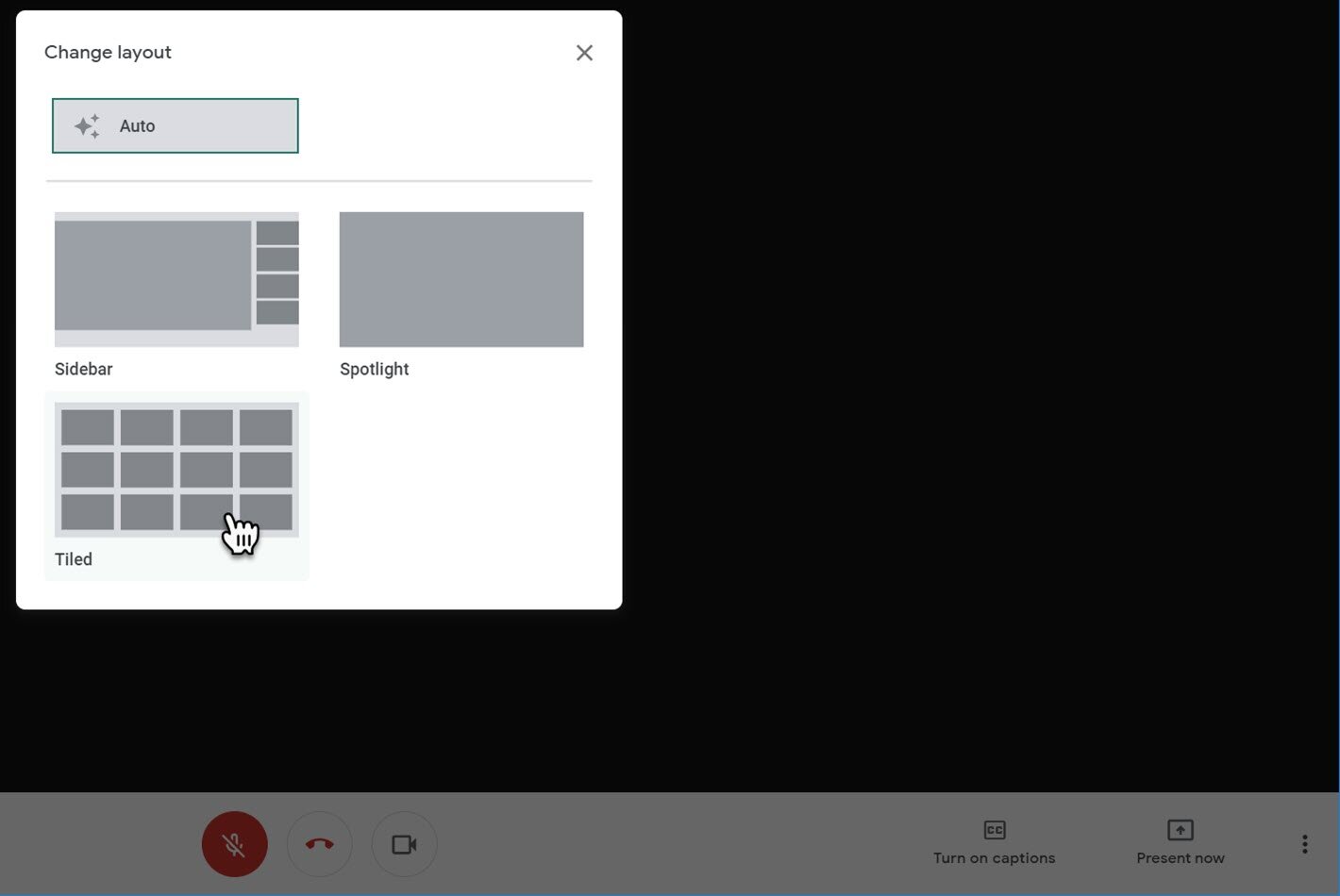
Here is how you turn on Tiled view in Google Meet: 

  • Start a new Google Meet video call

  • Click the overflow menu in the bottom right

  • Click "Change Layout"

  • Click "Tiled"

James Kimbley

<strong>Founder, Entrepreneur & Investor at Kimbley IT Limited</strong>

<br><br>

My team organises your business IT with Google Workspace, AI, Cyber Security & Support in One Package, trusted by 65+ UK businesses. Kimbley IT is a Google Cloud Partner, and Google Workspace is at the heart of everything we do. We recommend it because we've spent nearly 20 years helping UK businesses get the most from it and not because anyone asked us to.

<br><br>

Connect with me:

<a href="https://www.linkedin.com/in/jameskimbley/">LinkedIn</a> •

<a href="https://www.threads.com/@james.kimbley">Threads</a> •

<a href="https://www.kimbley.com/blog?author=50c5e9d6e4b033df8f3030ec">View All Posts</a>

www.kimbley.com
Previous
Previous

How to start and join a Google Meet on mobile

Next
Next

Three incredible features of Google Meet That You should Be Using!