
Why can't I activate blurred backgrounds in Google Meet?
A requirement to use blurred backgrounds and other background effects in Google Meet is to run the 64-bit version of Google Chrome. If you are not running this version of Chrome, you won't be able to activate any background effects.
The good news, it is straightforward to install the 64-bit version of Google Chrome.
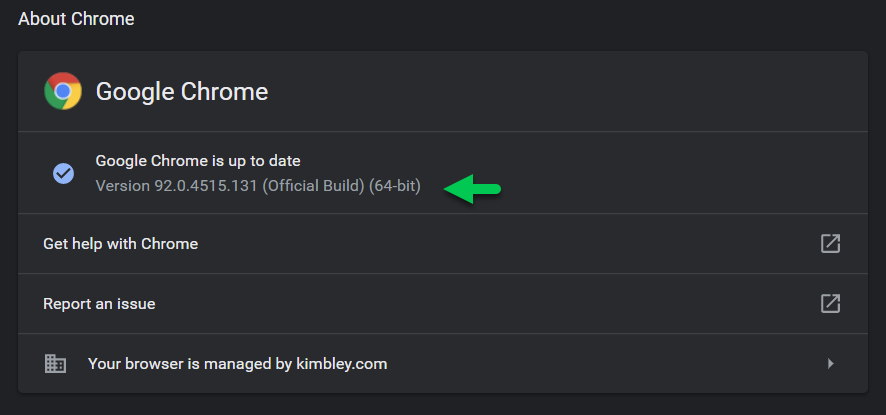
First, enter chrome://settings/help into your address bar in Chrome and hit enter. This will reveal the version of Chrome you are using. If it shows you as running 32-bit, you need to update Chrome to the 64-bit version.
There is no need to uninstall your current 32-bit version of Chrome.
Visit the Chrome download page and download the 64-bit version.
Install the download, and return to chrome://settings/help to confirm you are now using 64-bit Chrome.
Enter a Google Meet call, and you should be able to activate blurred and other background effects.
