How to extract audio from an MP4 video file to MP3 using VLC media player.
Open VLC media player.
From the toolbar, select Media, then Convert/Save.
Next, in the File Selection box, click Add and select your MP4 file.
Then click Convert/Save.
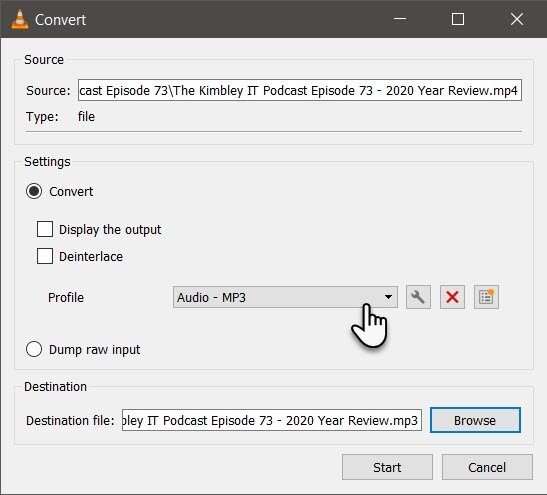
Next, from the Profile dropdown box, select Audio - MP3
Finally, in the destination box, select Browse, then choose the location where you want to save the MP3 file. Don't forget to delete the .mp4 file extension from the end of the file name before saving.
Click Start.
VLC will now open a new window and start extracting the audio from the video file; the programme will save the audio into the location you selected earlier.