
How to assign tasks to others in Google Docs

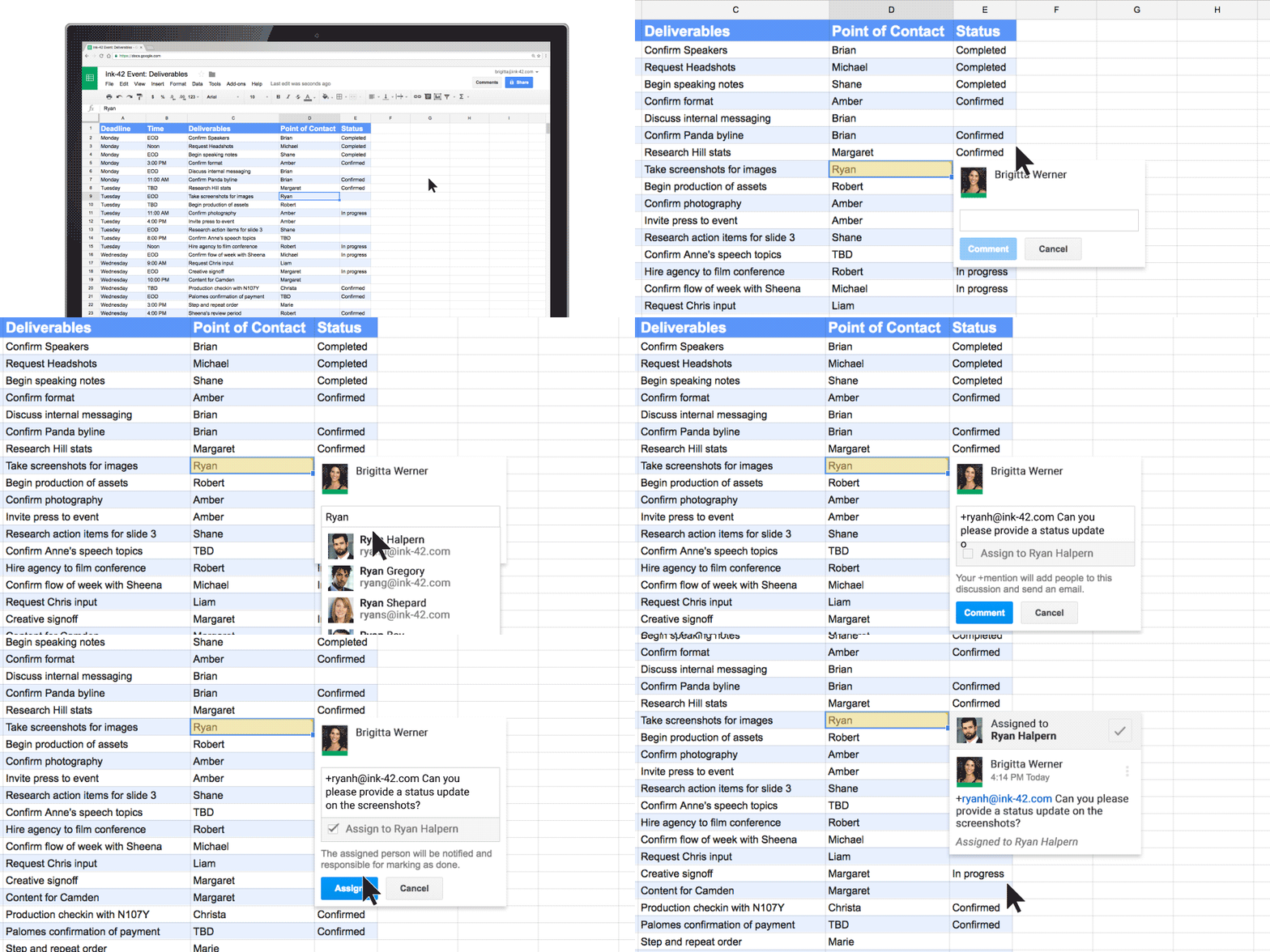
Recently, Google added a really easy way to assign tasks to your team members directly from inside the Google Doc you are working on.


  1. Highlight the text in the document.

  2. Click the comment icon.

  3. Start typing the name of the person you wish to assign the task too.

  4. Enter the details of the task.

  5. Then put a tick in the tick box to assign the task.
ActionItems_1_1.gif
James Kimbley

<strong>Founder, Entrepreneur & Investor at Kimbley IT Limited</strong>

<br><br>

My team organises your business IT with Google Workspace, AI, Cyber Security & Support in One Package, trusted by 65+ UK businesses. Kimbley IT is a Google Cloud Partner, and Google Workspace is at the heart of everything we do. We recommend it because we've spent nearly 20 years helping UK businesses get the most from it and not because anyone asked us to.

<br><br>

Connect with me:

<a href="https://www.linkedin.com/in/jameskimbley/">LinkedIn</a> •

<a href="https://www.threads.com/@james.kimbley">Threads</a> •

<a href="https://www.kimbley.com/blog?author=50c5e9d6e4b033df8f3030ec">View All Posts</a>

www.kimbley.com
Previous
Previous

Ransomware is about to get a whole lot worse!

Next
Next

Why your business needs cyber insurance
