How Do You Open a Zip File in Google Drive?
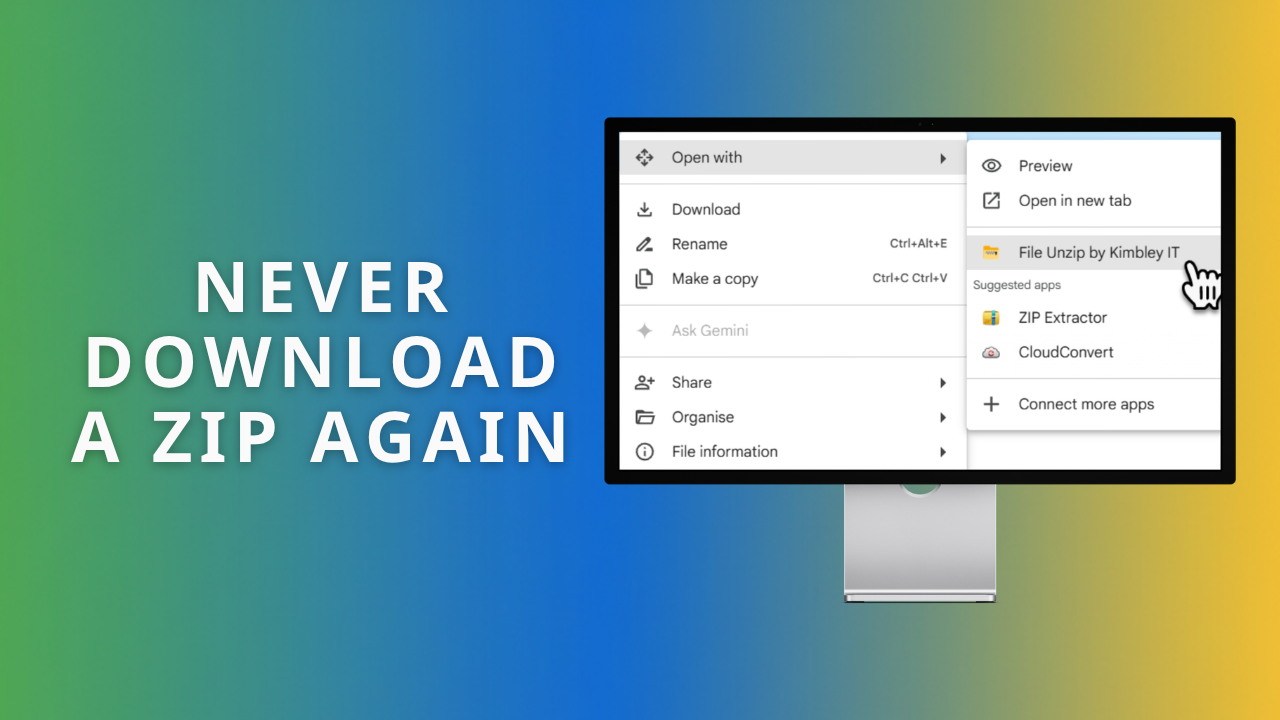
To open a zip file in Google Drive, right-click it, choose Open with, then pick an app that unzips. Google Drive has no unzip button of its own. File Unzip by Kimbley IT does the job in one click, for free, without downloading anything to your computer.
What is File Unzip by Kimbley IT?
File Unzip by Kimbley IT is a free Google Workspace Marketplace app that unzips files in Google Drive. Your zip file is opened on your own device, so its contents are never seen by anyone.
There is no sign-up, no account to create, and no limit on how many files you unzip. There is no paid tier waiting behind the free one. Password-protected zips work too, and the password stays on your own machine.
The app can only touch the file you choose to open with it. The rest of your Google Drive stays out of reach. Anyone can install it from the Google Workspace Marketplace, and Kimbley IT clients already have it deployed across their Google Workspace.
Why does Google Drive not unzip files on its own?
Google Drive happily stores zip files, but it will not open one for you. Double-click a zip in Drive, and you get a preview screen, not your files. So most people download the zip, open it with software on their computer, then upload the contents back to Drive.
That round trip wastes time on a big archive or a slow connection. It also drops a loose copy of the files onto a laptop, outside the sharing rules and access controls you set up in Drive. If you have spent time getting file sharing in Google Drive right, the download-and-re-upload habit quietly undoes some of that work.
Zip files are hard to avoid. Google makes it itself: ask Drive to download several files at once, and it packages them into a zip for you. Designers, accountants, and suppliers send them constantly.
How do you unzip a file in Google Drive?
Install the app once, then right-click any zip file in Google Drive and choose Open with. The whole job takes about ten seconds, and nothing lands on your computer. Here is the full process.
Install File Unzip by Kimbley IT from the Google Workspace Marketplace.
Open Google Drive and find the zip file you want to open.
Right-click the file and hover over Open with.
Choose File Unzip by Kimbley IT from the list.
Click the unzip button, and your files appear in Drive.
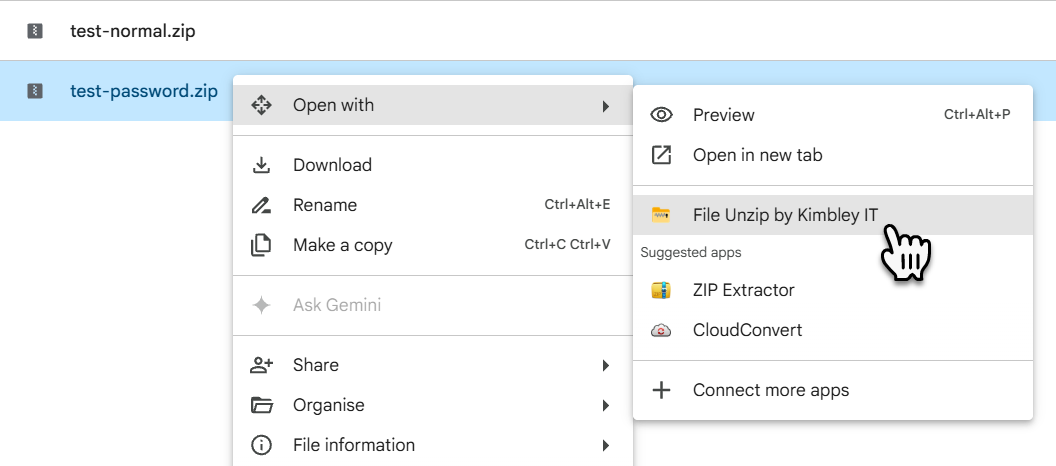
[IMAGE PLACEHOLDER: screenshot of the right-click Open with menu showing File Unzip by Kimbley IT]
Your files land in a new folder next to the original zip, with any folder structure inside kept intact. The zip stays exactly where it was, so you can check the contents first and delete it afterwards.
Is it safe to unzip a file in Google Drive?
Unzipping in Google Drive is safe when the tool you use blocks the file types criminals hide inside archives. File Unzip by Kimbley IT refuses to open any zip containing a program, a script, or a document with macros. You get a plain warning message instead of the files.
That block matters because archives are one of the two favourite methods for delivering malware. HP published its Threat Insights Report in June 2026, covering the first three months of the year. It found that archive files accounted for 38 per cent of malware deliveries, just behind executables on 39 per cent.
Macros are a favourite trick because they hide inside ordinary-looking documents. The UK's National Cyber Security Centre warns that malicious macros can do almost everything other malware can, including stealing data and acting like ransomware. A zip is a convenient wrapper for that sort of file, which is why the unzip step is worth getting right.
If the zip arrived attached to an email you were not expecting, treat the email itself with suspicion first. Kimbley IT clients can forward anything odd to Email Check, which is covered in this guide to plain, harmless-looking emails from strangers.
What are your options for opening a zip file in Google Drive?
You have four realistic choices, and they differ mainly in where the unzipping happens and what it costs you. The table below sets them side by side.
| Four Ways to Open a Zip File in Google Drive | ||
| Option | What happens | Cost and limits |
|---|---|---|
| Download and re-upload (no app needed) | You download the zip, open it with software on your computer, then upload the files back to Google Drive. | Free, but slow on large archives. It also leaves a loose copy of your files on the device. |
| Other Marketplace unzip apps | Right-click the zip in Google Drive, then choose Open with. Behaviour varies by app. | Check each listing for file size caps, advertising, and whether a paid tier exists. |
| File Unzip by Kimbley IT (Google Drive app) | Right-click, Open with, then one click. The zip is unpacked on your own device and the files appear in Drive. | Free forever. No sign-up, no limits, and no paid tier. |
| File Unzip by Kimbley IT (web tool) | Drop a zip onto kimbley.com/file-unzip. Save the contents to Google Drive or download them one at a time. | Free. Nothing to install and no account needed. |
What if the zip file is not in your Google Drive?
Use the free web version at kimbley.com/file-unzip. Drop a zip file onto the page, and it opens in your browser within seconds. You can then save the contents straight to your Google Drive or download them one file at a time.
Nothing is uploaded to Kimbley IT, and the same block on risky file types applies. This version suits a zip sitting on your desktop, or one a client has just emailed you. It is also the option to pick when you would rather not install anything.
Frequently asked questions
-
No. The app is free with no sign-up, no account, and no cap on how many files you unzip. There is no premium tier and no upsell. Kimbley IT built it for its own clients, then published it on the Google Workspace Marketplace so anyone can use it.
-
Yes. Password-protected zips are supported. You type the password in your browser, and the file is unpacked on your device. The password is never sent to Kimbley IT, and neither are the contents of the zip.
-
They go into a new folder next to the original zip file in your Google Drive. Any folders inside the zip keep their structure. The original zip stays where it is, and you can delete it when you are happy.
-
It will not open a zip containing a program, a script, or a document with macros. Those are the file types criminals most often hide inside archives, so the app stops and shows you a warning instead. Every other kind of zip opens normally.
-
Only the specific files you open with it. It cannot read anything else in your Drive. It also sees your primary Google account email address and basic profile information. Google lists all of this on the permissions screen before you install.
Book a call
Small jobs like opening a zip file should take seconds, and across a team, those seconds add up. If you want your Google Workspace set up so that everyday work moves faster, book a video call with Kimbley IT using the form below.