
What Did Google Announce for Google Workspace Users at Cloud Next '26?
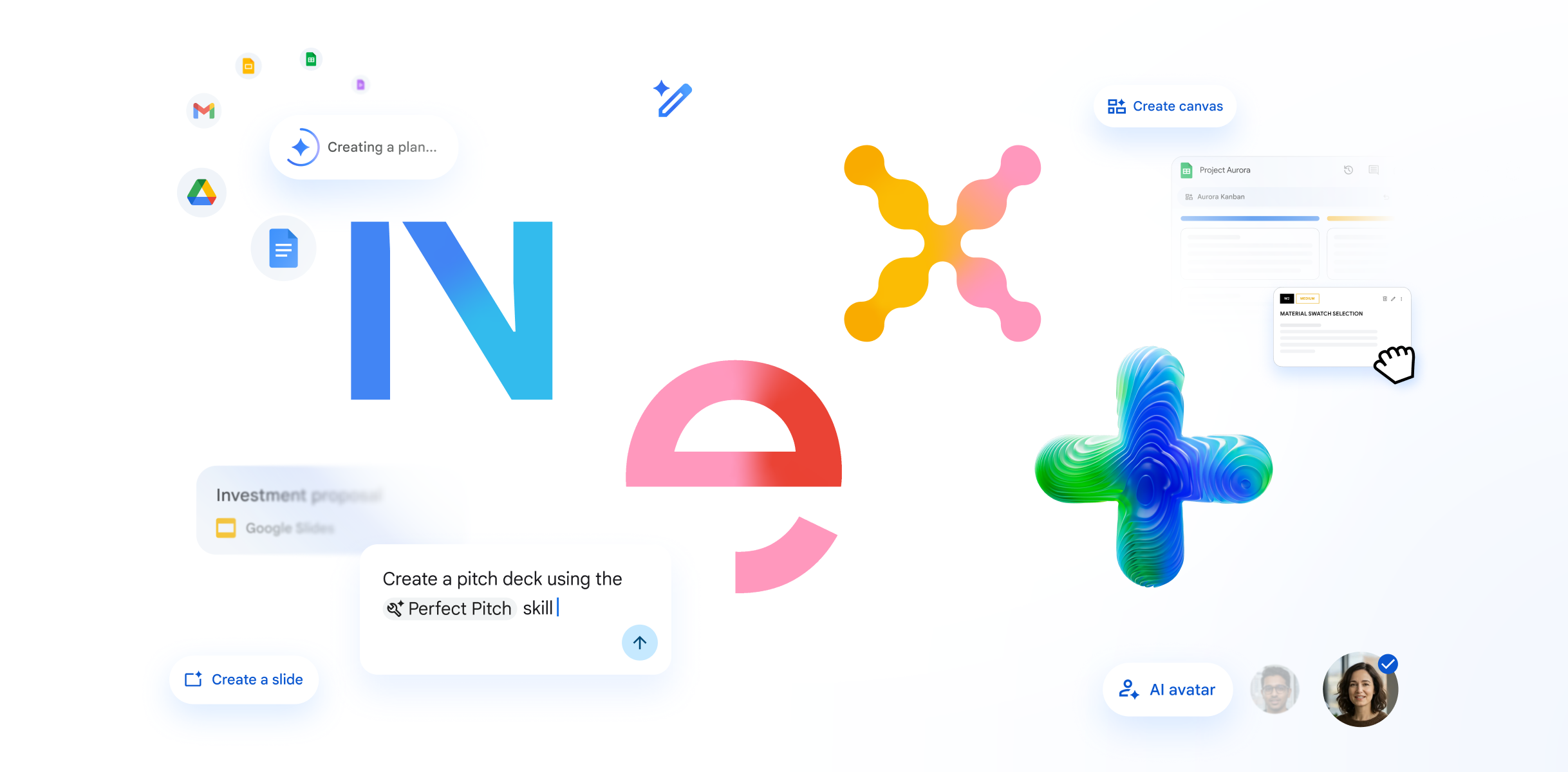
At Cloud Next '26, Google announced Workspace Intelligence, a new AI layer that understands your work across Docs, Slides, Gmail, Drive, and Chat. Alongside it, Google announced user-facing updates to Sheets, Google Meet, Google Chat, and the Gemini Enterprise app. Most of the changes will arrive in the coming weeks.
Here is the figure some IT providers will try to talk past. Google Workspace now has over 3 billion users and more than 13 million paying business customers. That figure comes from the announcement blog by Yulie Kwon Kim, VP of Product for Workspace, published on 22 April 2026. If anyone tries to tell you Google Workspace is a niche product, that number is your answer.
What is Workspace Intelligence?
Workspace Intelligence is a new AI system that sits underneath your Google Workspace apps and builds a real-time understanding of your work. It connects what is in your Docs, Slides, Gmail, Drive, and Chat with your active projects, your colleagues, and your company's knowledge. Gemini can then act on all of it at once.
Google's framing is that it moves AI on from being a blank canvas you ask questions of. Instead, it becomes a system that already understands your goal and the context around it. According to the Workspace Intelligence announcement, the system handles three jobs automatically. It gathers the right information, works out what matters to you right now, and matches your writing style and voice when it produces output.
The practical effect is that Gemini should stop feeling like a chatbot bolted onto your apps. Instead, it should feel like something that knows what you are working on. If you want the background, we wrote about how Gemini in Google Workspace is already acting as a virtual assistant in an earlier post.
What is Ask Gemini in Chat?
Ask Gemini in Chat is a new command line inside Google Chat. You tell Gemini what you want done, and it gets done without you leaving the conversation. It gives you a daily briefing with the tasks and threads that need attention. It also schedules meetings from a description and pulls information from third-party tools like Asana, Jira, and Salesforce.
Google Chat is already where your team has conversations. Ask Gemini in Chat turns that same window into the place you also delegate work. You can ask it to generate a document or a slide deck, find a file, or schedule a meeting that works for everyone. Because it runs through Workspace Intelligence, it can complete tasks that span multiple apps in a single request.
For teams that spend half their day hopping between Chat, Gmail, Drive, and a task manager, this is the update with the biggest day-to-day impact. If your team is not yet using Chat as a central hub, our guide to how Google Chat unifies your team's workflow is a good starting point.
How has Gemini changed in Docs, Sheets, and Slides?
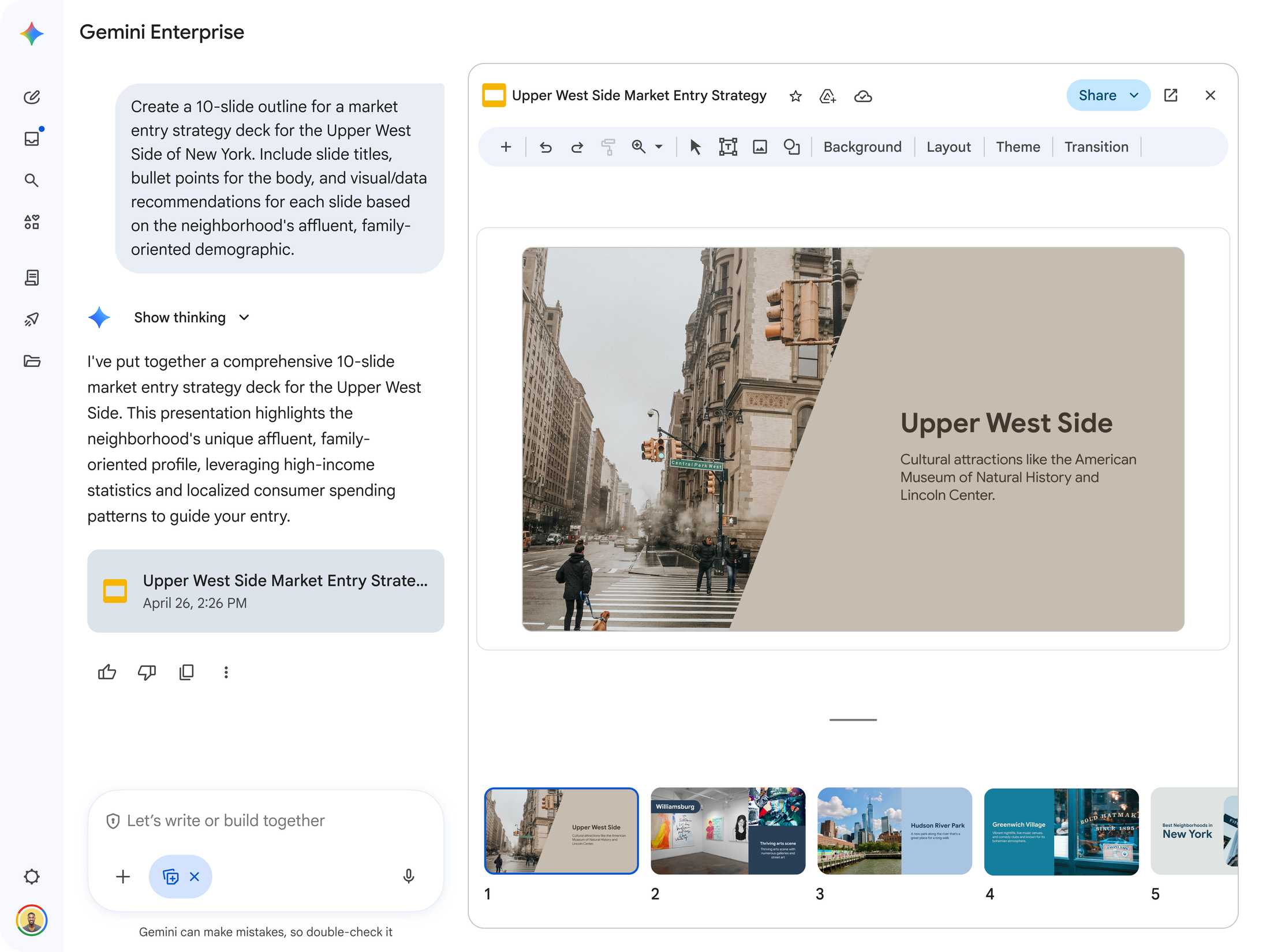
Gemini in Docs, Sheets, and Slides now builds documents, spreadsheets, and slide decks from scratch using your company's own content, style, and templates. It uses Workspace Intelligence to pull context from your existing files, emails, and chats. Drafts arrive closer to finished, rather than needing heavy editing.
In Sheets, you can build or edit entire spreadsheets using natural language. Gemini in Sheets handles the multi-step work of pulling data from your files, emails, chat, and the web. It can produce the kind of analytical output that used to require complicated formulas or third-party tools. There is also a new feature called Sheets canvas. It turns your data into an interactive mini-app like a dashboard, heat map, or kanban board, sitting directly on top of the spreadsheet.
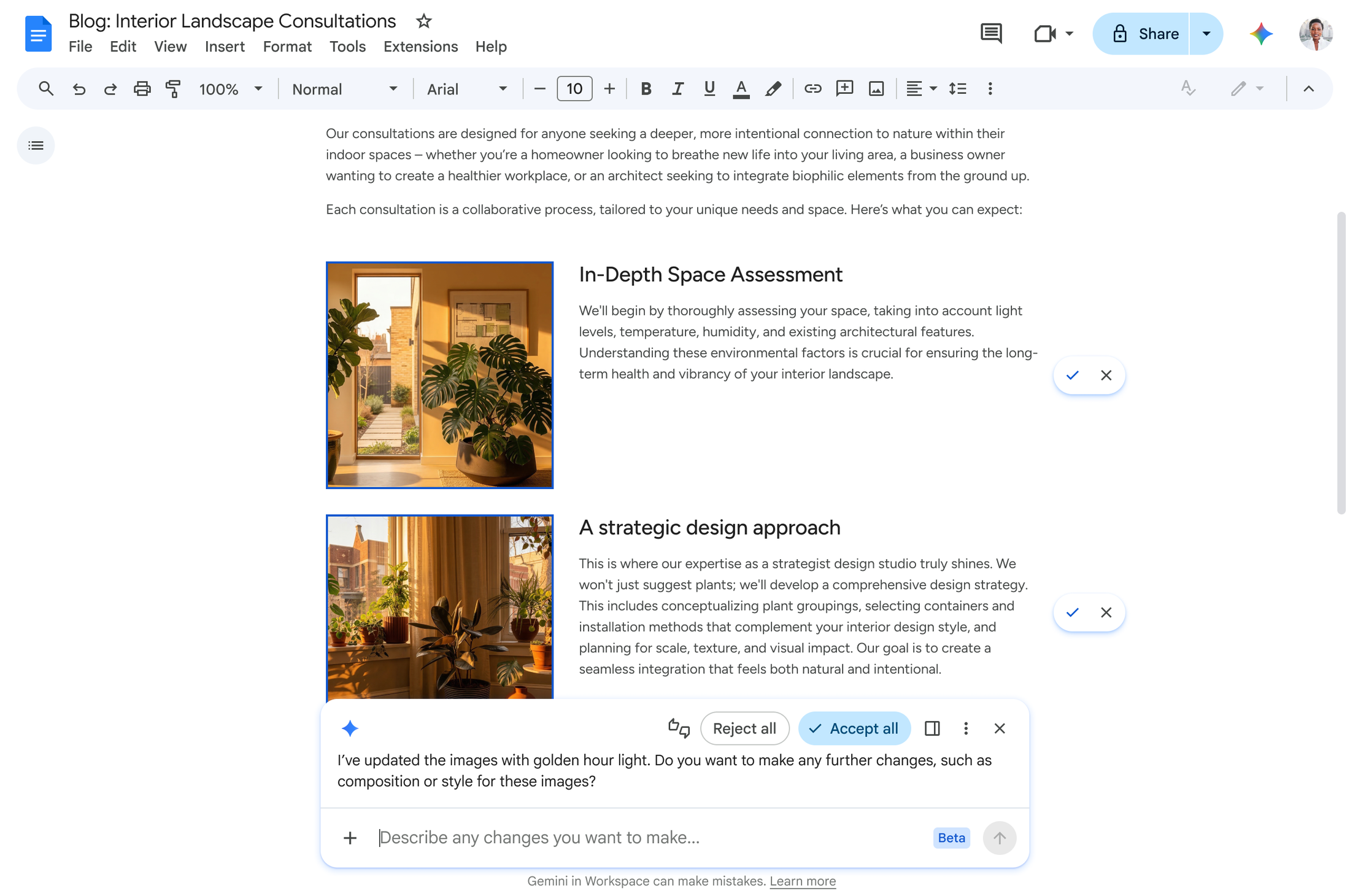
In Docs, Gemini can now generate infographics that are grounded in your own business data. It can edit multiple images at once for visual consistency, triage and reply to comments, and edit the document based on comment feedback.
In Slides, Gemini can create a full, editable slide deck in one shot, using your company's templates and visual style. No more generic decks that need 40 minutes of reformatting before you can send them.
How does Gemini help in Google Meet?
Google Meet's Take Notes for Me feature now captures automated summaries and action items from any meeting. That includes meetings hosted on Zoom or Microsoft Teams, not only Google Meet calls. You tap the button from your phone or desktop, and Gemini writes up the summary and actions in a Google Doc.
Take Notes for Me had 110 million Google Meet attendees use it in the last month alone. That number has grown 8.5 times year-over-year, according to Google's Cloud Next '26 announcement. That is the feature most Kimbley IT clients tell us they get immediate value from. It now works regardless of which video call tool the meeting was hosted on. If you sit in a lot of external meetings run on other platforms, this removes the last reason to keep a separate notetaking tool.
We covered why you need to use AI notetaking in Google Meet in a separate post. The same reasoning now applies to every meeting you attend, not only your internal ones.

What is the Gemini Enterprise app and how does it work with Google Workspace?
The Gemini Enterprise app is Google's dedicated workspace for running AI agents across your business data. It already pulls from Google Workspace. Google announced that customers will soon be able to schedule Google Calendar meetings from the Gemini Enterprise app. They will also be able to create, view, and edit Docs and Slides directly from its canvas mode.
For teams already using Gemini in Google Workspace to speed up their work, this matters. It collapses the distinction between "using Gemini as a chat tool" and "actually getting work done in Workspace." One surface, both jobs.
How are migration and interoperability with Microsoft 365 changing?
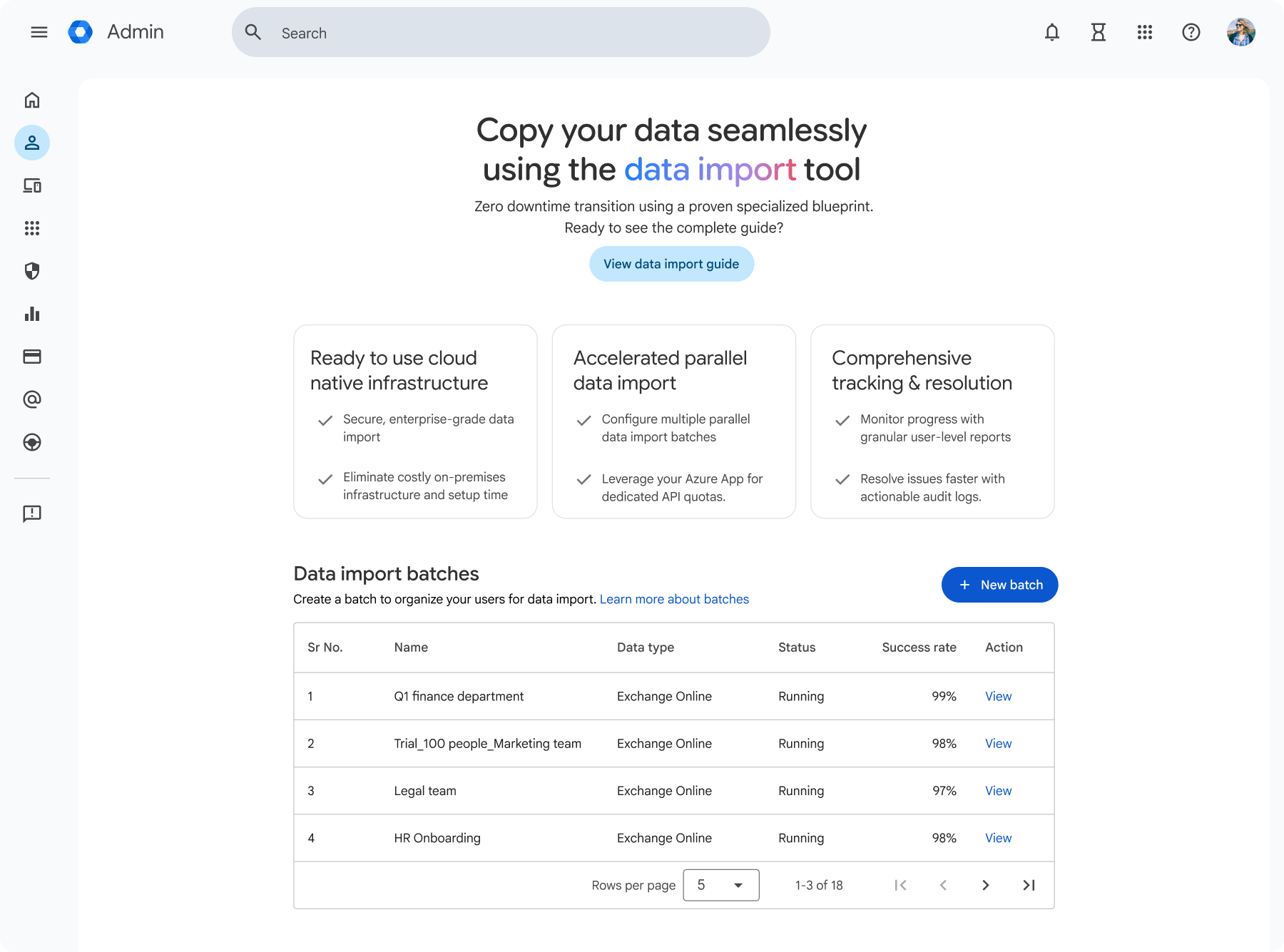
Google announced a new cloud service called data import, built into the Workspace admin console. It says this makes moving an entire organisation from Microsoft 365 to Google Workspace up to five times faster than before. This includes complex migrations for legal and finance teams, with emails, files, and conversations all brought across.
Some of your team members will still need to work with clients or suppliers on Microsoft Office. For them, there are three interoperability updates worth knowing about:
An AI-powered Office macro converter that translates Excel macros into Sheets
Office file editing directly in Gmail, so .docx and .xlsx attachments open without leaving your inbox
Redlining support in Google Docs, so you can track changes in the way Word users expect
This last one closes the last real gap for legal teams. We have written before about the hidden costs of using Microsoft Office, and why a recent report concluded Google Workspace really is better than Microsoft 365. These updates remove most of the practical excuses for staying on Office.
What should your business do with this?
Most of these features will arrive automatically if you already use Google Workspace with a Gemini-enabled plan. You do not need to do anything to "turn on" Workspace Intelligence. It powers the Gemini features that are being updated. Here is what is worth doing in the next few weeks:
Check which Google Workspace edition your team is on. Several of the new features require Gemini access, which is included in most Business and Enterprise editions but not Business Starter.
When Take Notes for Me rolls out for Zoom and Teams meetings, agree a team policy on when it should run. Notetaking on every call is rarely what you want.
If you have been putting off a Microsoft 365 migration because of the perceived pain, the data import service is worth a fresh look. Five times faster changes the business case.
Pilot Ask Gemini in Chat with one team first. Good results here depend on how clean your existing Chat, Drive, and Gmail data is, so start small before rolling it out company-wide.
Review your AI access controls. If you are not already, check why approved access to AI in your business is non-negotiable. More AI features means more places data can leak if governance is loose.
Frequently asked questions
-
Google has said the features announced at Cloud Next '26 are rolling out to customers in the coming weeks. Detailed rollout information, including which edition of Google Workspace is needed for each feature, is published on the Google Workspace Updates blog. Some features, such as Ask Gemini in Chat, are starting in preview and will expand over time.
-
Workspace Intelligence is the underlying layer that powers the new Gemini features announced at Cloud Next '26. Access to those features depends on your Google Workspace edition and whether Gemini is included. We covered whether you need to pay extra for Gemini AI in Google Workspace in a separate post.
-
Yes. According to the Cloud Next '26 announcement, you tap "Take notes for me" from the Google Meet home screen on your phone or desktop. Gemini then captures a summary and action items from the conversation in a Google Doc. That works regardless of whether the call is on Google Meet, Zoom, or Microsoft Teams.
-
Google Workspace is used by more than 13 million paying business customers globally, according to Google's Cloud Next '26 announcement. That includes UK law firms, accountancy practices, and financial services businesses. For most small and scale-up UK businesses, the security story is straightforward, but the way you configure it matters. We wrote about how Google protects your data stored in Google Workspace in more detail.
-
Google states that Workspace Intelligence operates within your existing Workspace enterprise-grade protections, so your work and data stay secure and confidential to your organisation. For specifics on how Google handles Workspace data and what admin controls are available, Google's own Workspace security and privacy documentation is the primary source.
Need help making sense of what this means for your business?
Most of these changes will simply appear in your Google Workspace over the next few weeks. The harder questions are which ones to roll out actively, which need a team policy first, and whether your Google Workspace edition provides the right features.
If you want help working that out, the next step is to book a video call with Kimbley IT using the form below.
